Online booking form · Ontario
Your online booking form, connected to your calendar.
A booking request lands in your inbox. You still have to find a time. Connect your online form to calendar availability so customers can choose a slot.
Bring your form, calendar and booking rules.
Gestech's own booking form shows open times from our calendar. Try the booking form.Your calendar connection and booking rules are checked before the build is quoted.
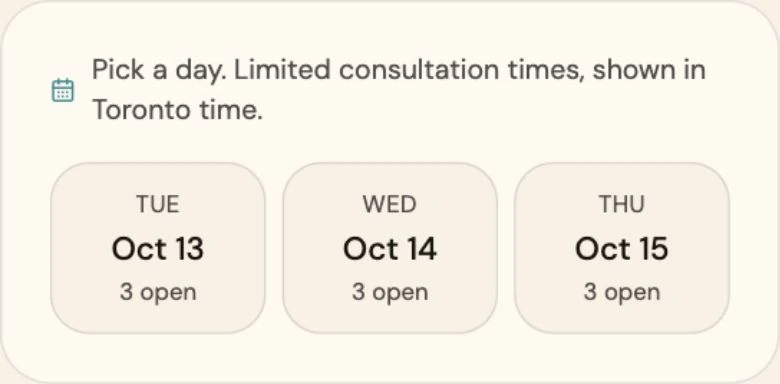
Your customer picks an open time.
Today, a booking request reaches your inbox. You email back and forth to find a time that works.
With the form connected to your calendar, your customer sees the open times and picks one.
A chosen time becomes a calendar appointment.
Once a time is agreed by email, you still have to add it to your calendar and send the customer the details.
The connection adds the chosen time and the customer's details to your calendar. Your customer sees a confirmation when the appointment is booked.
Start with one form and one calendar.
Bring a recent booking request to the free 30-minute call. Walk through how your team finds a time and confirms it today.
Your form and calendar access are checked first. You get a written scope and price to review before work starts.
Before you book
Using your current form and calendar
Your form and calendar's connection options and permissions are checked first. The scope sets your booking hours, appointment length, gaps between bookings and how far ahead customers can book. Any tool changes are agreed before you approve the build.
Turning a booking request into a confirmed appointment
Your scope decides whether your team approves a booking before the calendar appointment is created. It also records the customer details and confirmation method. Before launch, the connection is tested with an incomplete form and a failed calendar connection, with an agreed way to check exceptions.
A time that gets taken during booking
Check availability before offering a slot and again before creating the appointment. Test competing requests and agree what the customer sees when a time is taken. These checks belong in the scope.
Changes, cancellations and reminders
Decide how customers request a change, who approves it and what updates the calendar. Rescheduling, cancellations and reminders are quoted if needed.
Enquiries that arrive by phone
Kiko is Gestech's receptionist product for phone enquiries. The connection on this page is scoped around your website form and calendar. Use the Kiko link below to see the phone service.
Your data and ongoing care
Your customer data stays yours. Access and ownership terms go into your quote. Ongoing care of the delivered connection is agreed separately in writing.
Bring the booking you arranged by email.
Walk through your form-to-calendar handoff on a free 30-minute call. You leave with a written scope and price to review.
No commitment until you approve the scope.