Quote to invoice automation · Ontario
Quote to invoice, without retyping the job.
Your quote is accepted. The work is done. You still copy the job details into an invoice. Connect those steps, with approval before sending.
Bring a quote and the invoice it became.
Built for a trucking company: invoices are drafted from the job record, approved by a person, then emailed from the system. See the trucking build.Your quoting tools, invoice format and approval rules are checked before the build is quoted.
The details you quoted stay with the job.
Today, you copy the customer and agreed amount from the quote when it is time to invoice the work.
The connection carries the customer, job reference and agreed amount into a draft invoice. You review it before it goes out.
Approve the draft, then send the invoice.
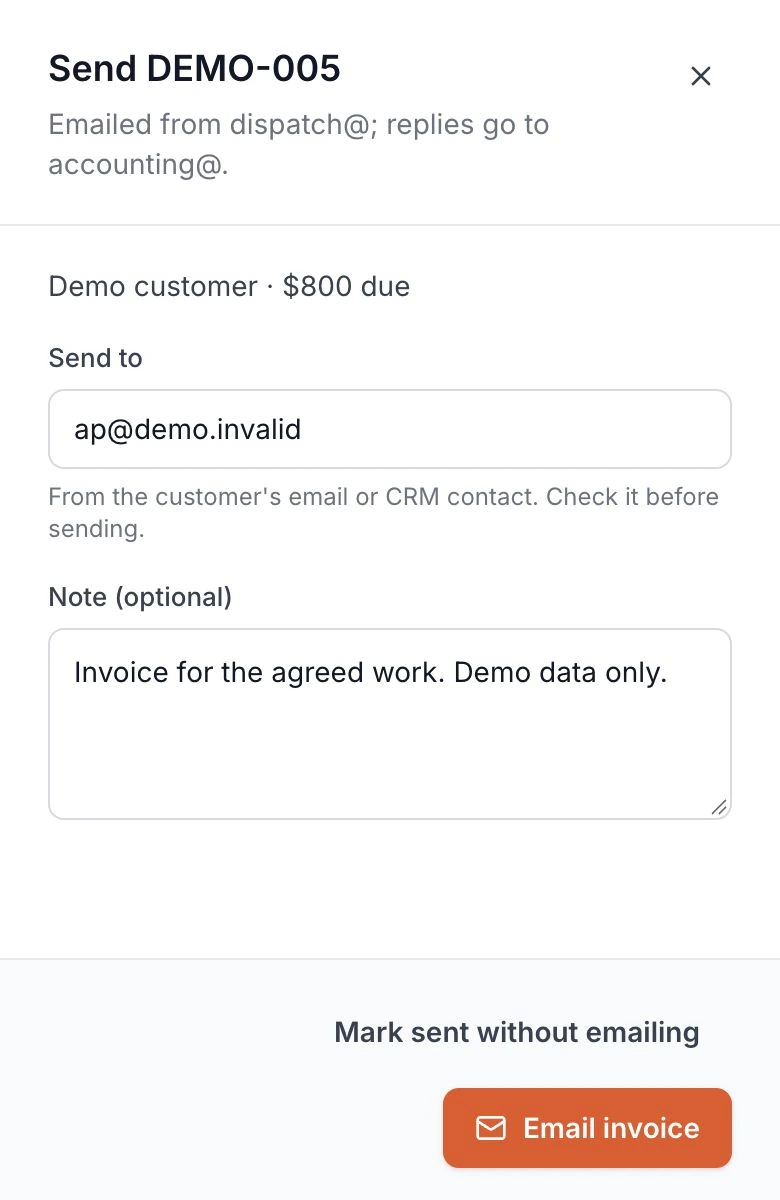
Today, you switch from the invoice draft to your email to send it.
The send step stays beside the invoice. Check the recipient, add a note and email it from the system after approval.
Start with your quote and one finished job.
Bring a quote and its invoice to the free 30-minute call. Walk through what changes between agreeing the price and finishing the work.
Your existing tools are checked first. You get a written scope and price to review before work starts.
Before you book
Using your current quoting and accounting tools
Bring the names of the tools you use for quotes, job records and invoices. Their connection options and permissions are checked first. Any tool changes go into the written scope before you approve the build.
When a job becomes ready to invoice
Your scope records what counts as finished work and which details move into the draft. In the trucking build, a delivery document and a recorded rate are required before an invoice can be created. Your completion rule is agreed around your work.
Changes to the price, tax or payment terms
The agreed amount is the starting point. Changes to the work, tax amounts and payment terms need a review rule. The trucking build takes a manually entered tax amount. Deposits, partial invoices and credit notes are checked and quoted if needed.
Approval and sending
In the trucking build, creating a draft, approving it and emailing it are separate actions. Staff check the recipient before sending. A failed email request leaves the invoice approved for review. Your approver, sender and failed-send checks are agreed before launch.
Invoice format and accounting updates
In the trucking build, the invoice is in the email body, with a reply address for accounting. Your format and sender are agreed in the scope. PDF attachments, reminders and accounting sync are checked and quoted if needed.
Your data and ongoing care
Your customer data stays yours. Access and ownership terms go into your quote. Ongoing care of the delivered connection is agreed separately in writing.
Bring the quote you typed into an invoice.
Walk through your quote-to-invoice handoff on a free 30-minute call. You leave with a written scope and price to review.
No commitment until you approve the scope.