QuickBooks Online connections · Ontario
QuickBooks Online integration, without typing the invoice twice.
Your job details are already in your CRM or dispatch tool. Set up a QuickBooks Online connection that turns approved work into an invoice.
Bring one invoice and the tool you copy it from.
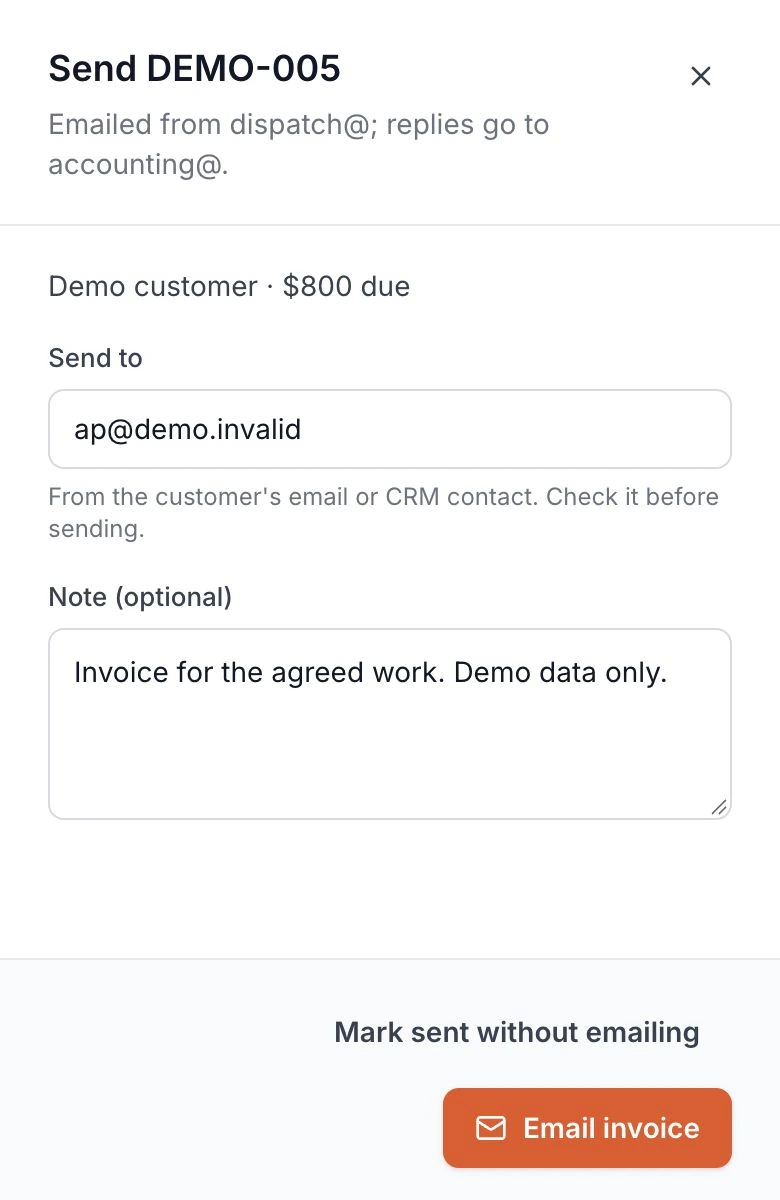
Built for a trucking company: draft an invoice from a delivered load, approve it, then email it from the system. See the quote-to-invoice build.Your QuickBooks Online connection is scoped around your records and accounting rules.
Enter the job once. Carry the details through.
Today, you copy the customer, job reference and amount into QuickBooks Online. Each change sends you back to check both records.
Your build maps the agreed job details into a QuickBooks Online invoice. You approve the field mapping with your bookkeeper before the connection goes live.
Keep the review step before the invoice moves.
Today, you check that the work is complete and the invoice is right. You also check whether someone has already entered it.
Your build keeps the agreed approval step before creating the invoice in QuickBooks Online. Matching and retry rules are tested with sample records.
Start with an invoice you entered by hand.
Bring an invoice and the job record behind it to a free 30-minute call. Walk through what you copy, check and approve.
Your tools and connection options are checked first. You get a written scope and price to review before work starts.
Before you book
Your QuickBooks product and source tool
This build connects to QuickBooks Online, Intuit's accounting product. Bring your edition, country and the tool holding your job records. Connection options and account permissions are checked before quoting.
Which details move into the invoice
Your scope lists the customer, job reference, line items and amounts to carry across. The field mapping is agreed with you and tested on sample records. Any required review stays in the workflow.
Taxes, accounts and payment terms
Your bookkeeper or accountant approves the tax codes, accounts and payment terms used by the connection. The build follows those agreed settings. Bring a sample invoice to make the mapping concrete.
Changed jobs, duplicates and retries
Your scope defines how customers and invoices match, when changes can pass through and what happens after a failed transfer. Duplicate checks and retries are tested before launch. You agree which direction each record moves.
What the product screen shows
It shows the invoice approval and email workflow built for a trucking company, using invented demo data. That workflow provides the approved source record. The QuickBooks Online connection is built and tested for your own tools.
Account access and ongoing care
You approve the account connection and agree which records it may access. Your customer data stays yours. Testing, hosting, ownership and ongoing care of the delivered connection are agreed in writing.
Bring the invoice you typed twice.
Walk through it on a free 30-minute call. You leave with a written scope and price for your QuickBooks Online connection.
No commitment until you approve the scope.